
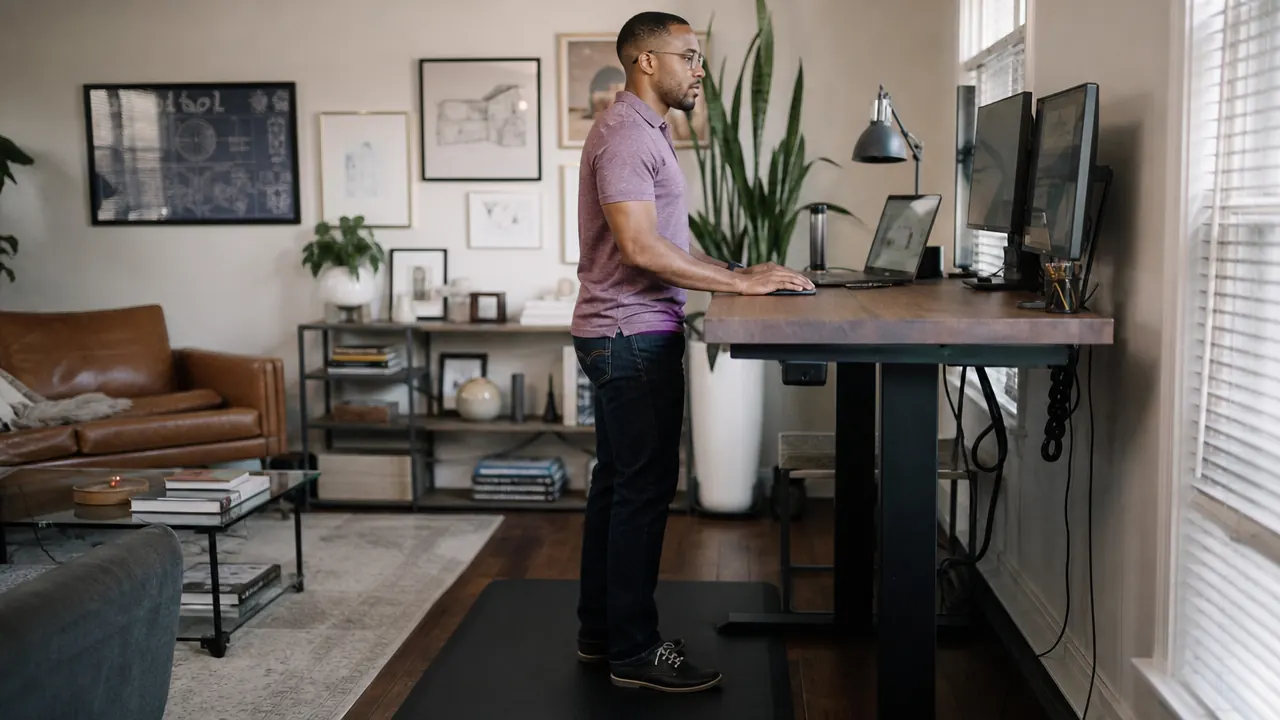
By 1 PM, your heels are burning. By 3 PM, you are shifting your weight every 90 seconds trying to find a position that does not hurt. You bought a standing desk to feel better, and now you feel worse from the waist down. If that sounds familiar, here is the honest truth: the problem is almost never that you are standing. The problem is how you are set up. Foot pain at a standing desk comes down to five fixable things: your mat, your footwear, your posture, your standing intervals, and your floor surface. Work through all five and most people feel a meaningful difference within a week.
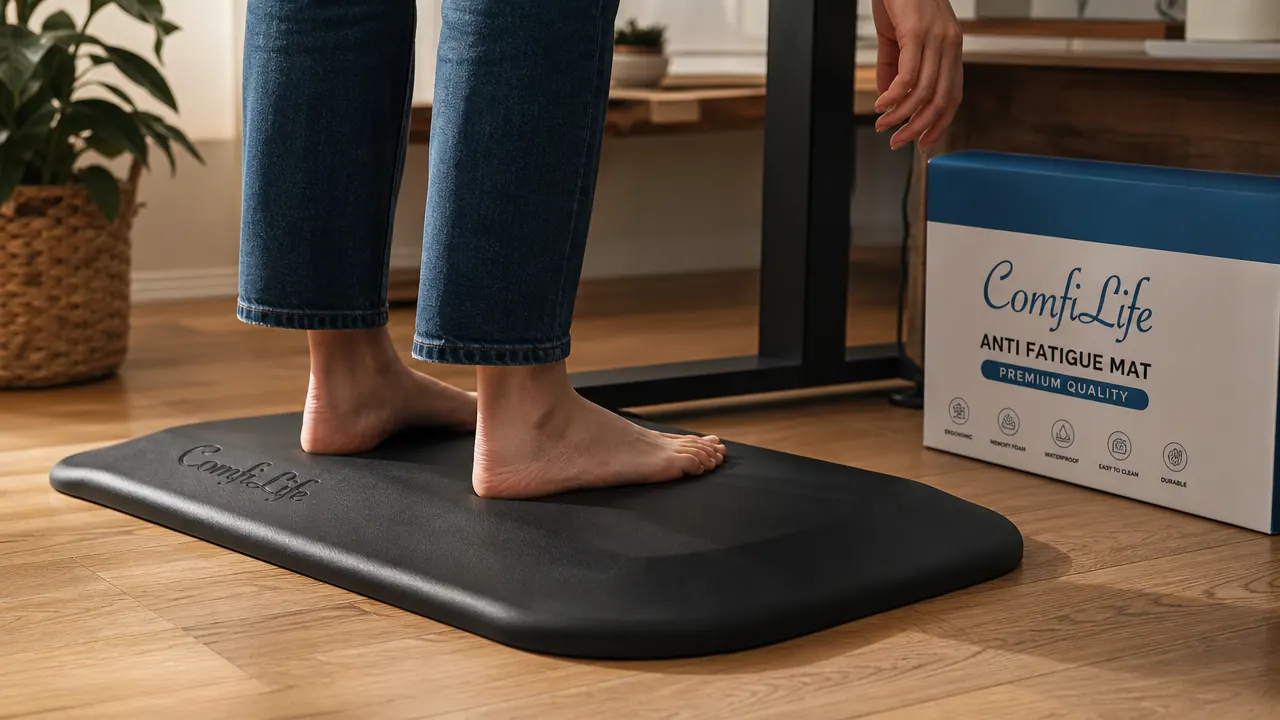
The single biggest lever is the mat. Standing on a hard floor for hours creates constant, unrelenting pressure on your heel pads, arches, and the joints in your feet and ankles. A quality anti-fatigue mat shifts your foot muscles into a constant low-grade balancing response. That micro-movement keeps blood circulating and dramatically reduces the pressure buildup that causes pain. The ComfiLife Anti-Fatigue Mat is the one I recommend after testing several options. It is three-quarter inch thick, has a non-slip base, and holds its shape after a year of daily use. With over 41,000 Amazon reviews and a 4.8-star rating, it is the most validated option at this price point.
Your feet hurt because your floor is too hard. Here is the fix.
The ComfiLife Anti-Fatigue Mat is 3/4 inch thick, non-slip, and holds its shape after daily use. It is the single most effective change you can make to a standing desk setup that is causing foot pain.
Amazon Check Today's Price on Amazon →Why Standing Desks Cause Foot Pain (And Why the Fix Is Simpler Than You Think)
When you stand on a hard floor, your body absorbs every pound of your weight through a small contact area in your feet. There is no give, no cushion, and no invitation for your muscles to do anything but lock up under load. Over time, the plantar fascia, the thick band of tissue along the bottom of your foot, gets strained. Your heel pads compress. Your calf muscles stay contracted, which pulls on the Achilles, which puts more load on the heel. It becomes a chain of small tensions that adds up to real pain by mid-afternoon.
The solution is not to sit down more. The solution is to stop standing on a rigid surface and start standing on one that invites subtle movement. Anti-fatigue mats work by creating a slightly unstable surface that keeps your stabilizer muscles lightly engaged. Your weight shifts microscopically, blood keeps moving, and the concentrated pressure that causes heel and arch pain is distributed more evenly. That is the mechanism. Everything else in this guide builds on top of it.
Step 1: Put a Proper Anti-Fatigue Mat Under Your Feet
Not all anti-fatigue mats are the same. The cheap foam options you find at big-box stores compress flat within a few weeks. Once a mat has compressed, it is just a thin rubber sheet. You need at least three-quarter inch of quality PU foam or a comparable material that bounces back after use. The ComfiLife mat hits that threshold. Set it directly under your standing position so both feet land on it fully when you are in your primary work stance. You want your entire foot on the mat, not just the heel or just the ball of your foot.
Position matters as much as the mat itself. Place it centered in front of your desk, close enough that you do not have to reach forward for your keyboard. If your mat is too far back, you will naturally lean toward your desk and your weight will shift forward onto the balls of your feet, creating a different kind of strain. For a full breakdown of how the ComfiLife mat compares to other options, see our review: ComfiLife Anti-Fatigue Mat Review: One Year Standing on It Every Workday.
Step 2: Check Your Footwear Before Anything Else
A great mat cannot fully compensate for bad footwear. If you are standing in thin socks on a mat, you are missing another layer of support. You do not need to buy specialized standing desk shoes, but you do need footwear with actual arch support and at least some heel cushioning. A pair of supportive athletic shoes or slip-on house shoes with a real insole makes a noticeable difference. Avoid bare feet on hard floors, flip-flops, and flat-soled slippers. They put all the same pressure through your heel and arch that the hard floor would.
If you have flat arches or a history of plantar fasciitis, consider adding a pair of over-the-counter insoles to whatever shoes you already own. Brands like Superfeet and Dr. Scholl's make insoles in the $20 to $40 range that fit most shoes and add the arch support that generic soles lack. Think of the insole and the anti-fatigue mat as two layers working together, one inside the shoe, one under the shoe.
Step 3: Correct Your Standing Posture at the Desk
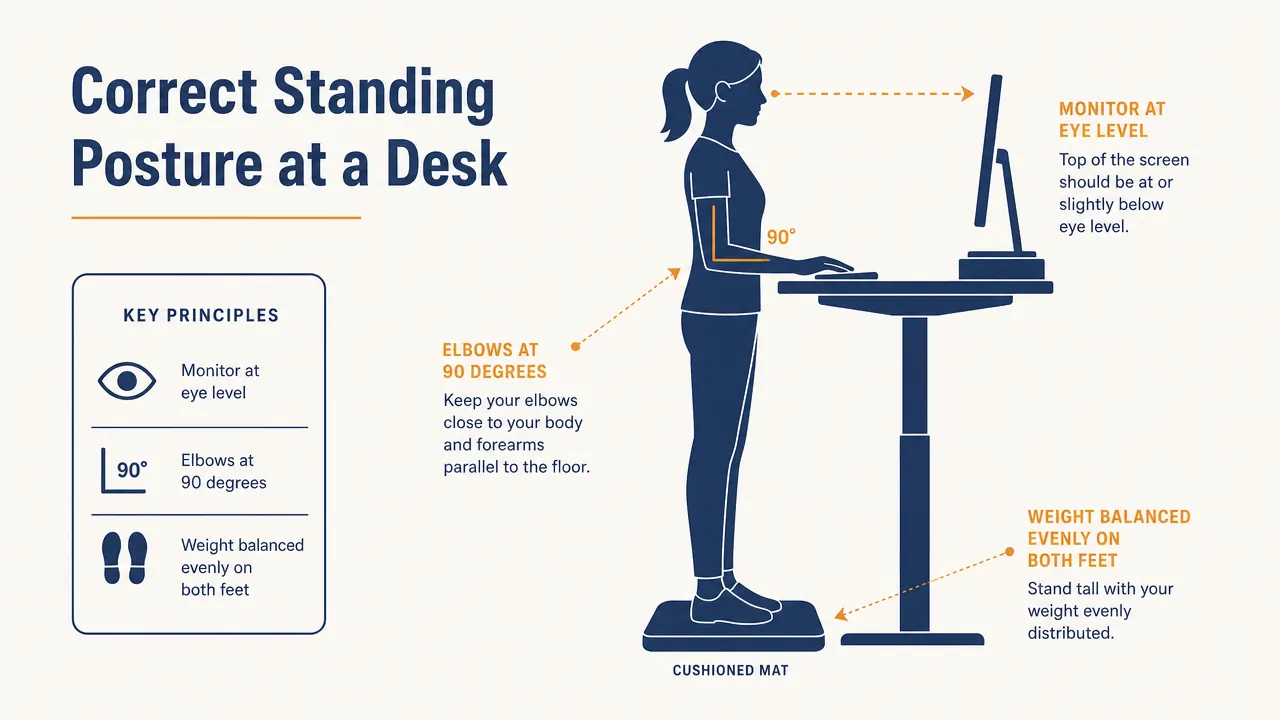
Bad posture at a standing desk sends extra load into your feet. The most common mistake is locking your knees. When your knees are fully straight and locked, your body weight travels straight down through rigid bones into your heels. Keep a very slight bend in both knees, just enough that they are not locked out. Your feet should be hip-width apart. Your weight should feel balanced across the whole foot, not piled onto the heel or the ball.
Your monitor height matters here too. If your screen is too low, you hunch forward, which shifts your center of gravity forward and onto your toes. If it is too high, you lean back, loading your heels. Eye level, straight ahead, no neck tilt. Your elbows should be at roughly 90 degrees when your hands rest on the keyboard. That spine-neutral, shoulders-back, knees-soft position keeps weight distributed evenly across your feet instead of concentrating it into one spot. For a complete ergonomics checklist covering desk height, monitor distance, and cable routing, read our guide: How to Set Up a Home Office Standing Desk the Right Way.
Locking your knees is the number one standing desk mistake. That single habit sends your full body weight straight through your heels every minute you stand.

Step 4: Use a Standing Interval Schedule Instead of Standing All Day
Standing all day without breaks is almost as hard on your body as sitting all day. The goal of a standing desk is movement, not static standing. Experts generally recommend a ratio somewhere in the range of 30 to 45 minutes of standing for every 15 to 20 minutes of sitting, though this varies by person. The key principle is that neither position should be held for hours at a time without a break.
Use your desk's memory presets to make transitions frictionless. Set one preset for your seated height and one for your standing height. The less effort each transition takes, the more likely you are to actually move between them. If you do not have a timer habit, try tying your position changes to natural workflow breaks: stand for a meeting, sit for deep focus writing, stand again when you switch to email. The interval matters less than the consistency. Even switching every hour helps more than staying in either position for a full workday.
When you are in your standing intervals, use those micro-moments of movement the mat enables. Shift your weight from one foot to the other. Step back half a step and stretch your calves briefly. These small movements, even while you keep working, break up the static load that causes foot pain. The ComfiLife mat actually encourages this because the slight give in the foam makes shifting weight feel natural rather than awkward.
Step 5: Address Your Floor Surface Under the Mat
This step gets skipped almost every time, but it matters. A mat sitting on thick carpet behaves very differently than one on hardwood or tile. On carpet, the mat sinks into the soft base beneath it, reducing its effective thickness and cushioning. If your standing desk is on carpet, consider placing a thin, firm plywood board under the mat so it has a solid foundation to compress against. A 12-by-24-inch piece of half-inch plywood under the mat costs almost nothing and gives the foam something rigid to push back from.
On hard floors, the mat performs exactly as designed with no modification needed. If you have a floor that is especially cold in winter, a mat also helps here by adding thermal insulation between your feet and the cold surface, which has its own effect on muscle tension and fatigue. Cold feet tend to tense up, which contributes to calf tightness and heel pain over time.
What Else Helps When You Have Tried the Basics
If you have worked through all five steps and still have foot pain, there are a few additional options worth knowing about. Compression socks, the kind runners and nurses wear, help with blood circulation and reduce the swelling that comes from standing for long periods. They are not glamorous, but they work. A footrest bar or balance board can add another layer of movement to your standing intervals, similar to what the mat does but more active. And if the pain is persistent, sharp, or concentrated in specific spots like the heel or arch, that is worth a conversation with a podiatrist, as you may have plantar fasciitis or a related condition that benefits from targeted treatment.
For most people, though, the combination of a quality anti-fatigue mat, supportive footwear, corrected posture, and regular sit-stand intervals resolves the problem completely. It is not complicated. It is just a setup issue that has a setup fix. If you are also considering which mat to compare the ComfiLife against before buying, see our full side-by-side breakdown: ComfiLife vs Topo by Ergodriven: Which Anti-Fatigue Mat Is Worth the Money?. And if you want a broader look at why a mat is non-negotiable for standing desk users, the reasoning is laid out in detail here: 10 Reasons a Standing Desk Mat Reduces Fatigue and Keeps You on Your Feet Longer.
Stop treating foot pain as a sign you should sit back down.
The ComfiLife Anti-Fatigue Mat solves the core problem directly. Three-quarter inch thick, rated 4.8 stars across 41,000 reviews, and built to hold its shape through daily use. It is the first thing to change if your feet are hurting at a standing desk.
Amazon Check Today's Price on Amazon →